
This guide will show you how to utilize JobPro's "Auto Sourcing" feature, which allows you to create material entries without having to create a pick list or a purchase order. The system will automatically pull material from a warehouse when creating material entries.
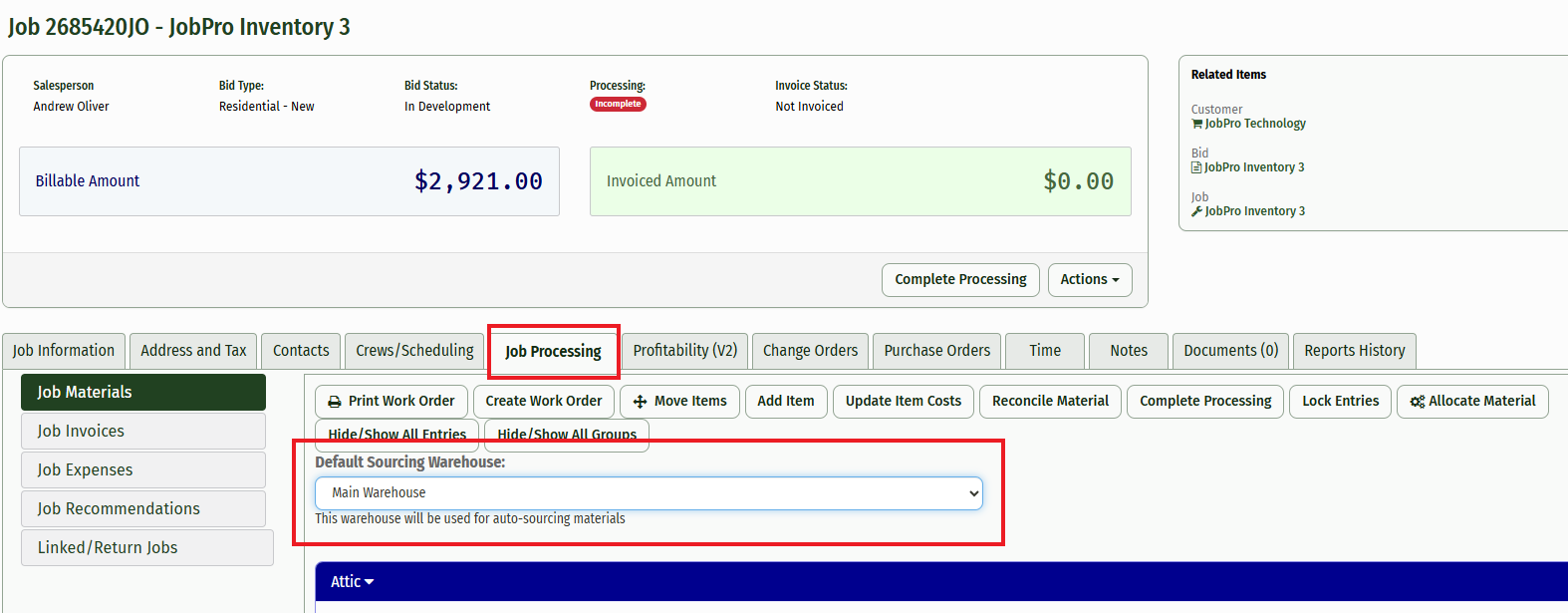
1.) If you navigate to the "Job Processing" tab, you'll see a dropdown at the top of the tab labeled "Default Sourcing Warehouse". This is the warehouse that has been set to be the default for sourcing material from. The dropdown will allow you to choose another warehouse that is set up to source from if needed, but the sourcing will revert to your original warehouse first.
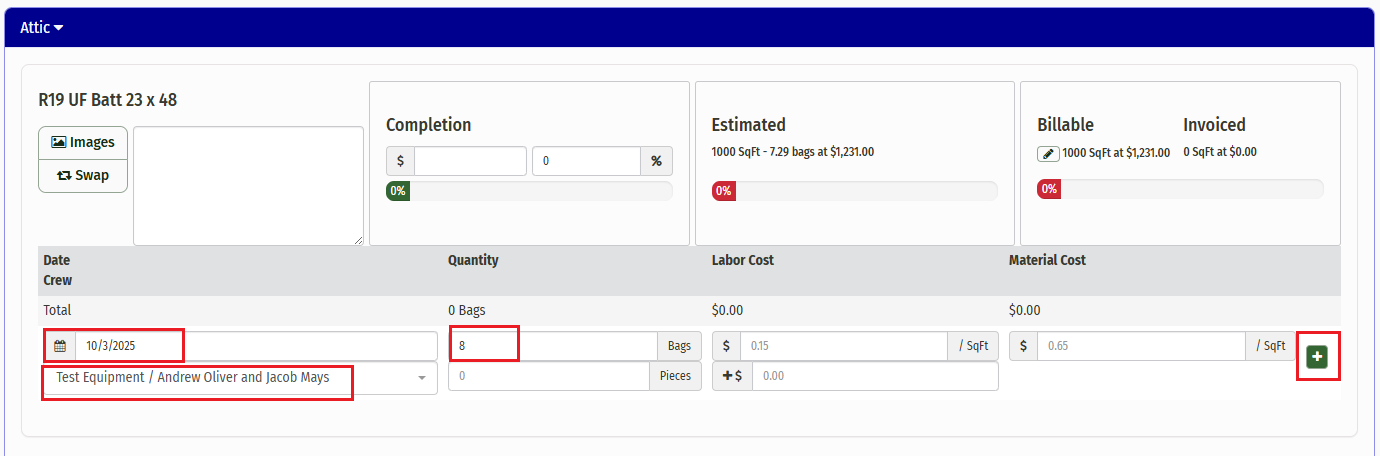
2.) Begin creating your material entry by adding a date, a crew, and a quanity in the given fields. If you enter a quantity that the warehouse cannot fulfill, or does not have available, you will receive an error stating "There is insufficient inventory on the truck to make this entry. Add more to the truck, or source more to the job".
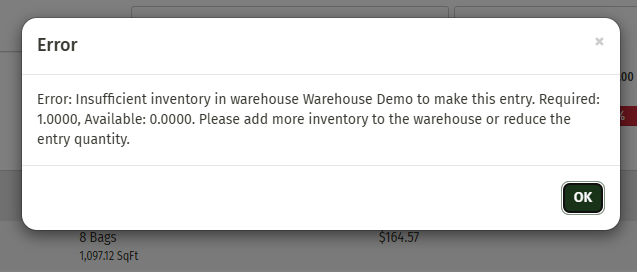
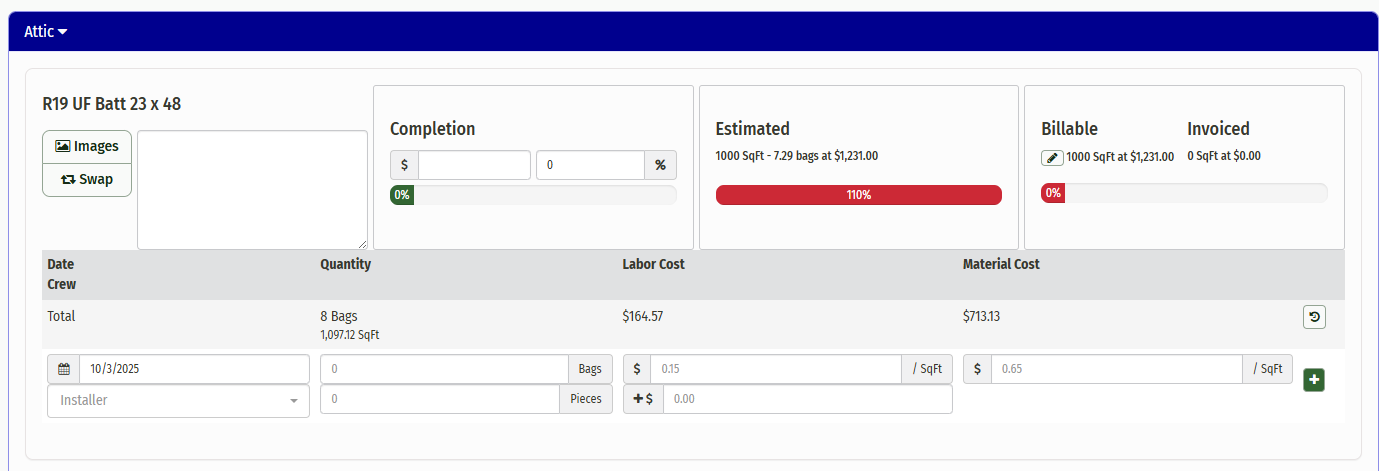
In this case, you can choose another warehouse from the dropdown to pull from. Once you create your material entry and pull from a warehouse that has sufficient inventory, the entry will be processed and your Estimated Material percentage will update.
Completing this entry will bypass the need to do the process of creating purchase orders, pick lists, or even auto-allocating.
NOTE: This feature is not required if you prefer not to use it. If you’d rather use the Auto Allocate feature instead, we are able to configure your system to not have the Auto Sourcing option.